


Sometimes, listening is more comfortable than reading. You read a lot of content every day on your iPhone, whether its eBooks, website content, emails...
Color Blindness is one of those things we don’t always think about as a serious disability, but there are real difficulties for the many people that...
If we say Google a mine of information, then it wouldn’t be a hyperbole. Whatever you wish to search just type it in on Google and you will get an a...
Apple has always amused its iPhone users with features and gestures that let you perform difficult tasks with no efforts. Until now you must be aware ...
Sometimes you just need some extra help reading something when you forget your glasses or if you want to read some of the small print lurking a...
Remember the time when you found something worthwhile to read on the net. We get thrilled and we try to pour over that article and alas the phone ring...
Apple took great strides for low-vision users by enhancing the Accessibility features in iOS 7 by adding button shapes, bold keyboard text, dark color...
One of the largest messaging application WhatsApp owns a huge database of around 1.2 billion users globally. To make its app more usable, the Faceboo...
You’ve landed on someplace brand new, and you’re all set to explore the new city, but you have absolutely no idea where to begin. This is where yo...
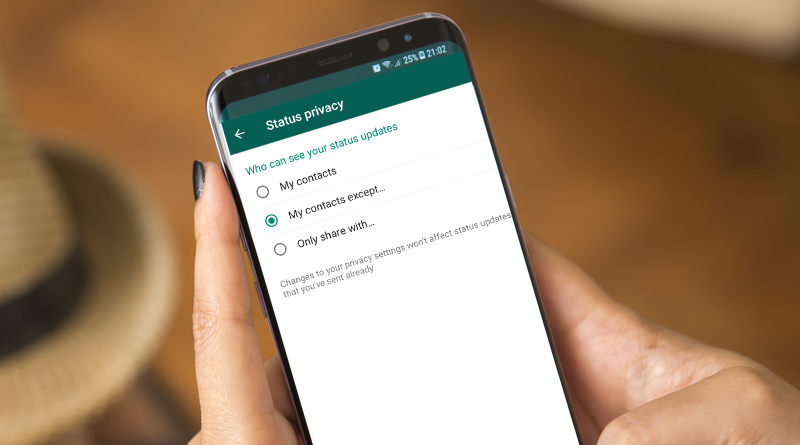
Blog Summary: Discover the step-by-step process of managing your WhatsApp status privacy like a pro! Learn how to show or hide your status from ...
Apple devices come with the feature to track them from virtually anywhere as long as the device you are locating have an internet connection. Find My...
Sometimes, people who love reading books, most of the time gets too busy to sit down on the couch and spend a few hours to read their favorite ...