


Summary
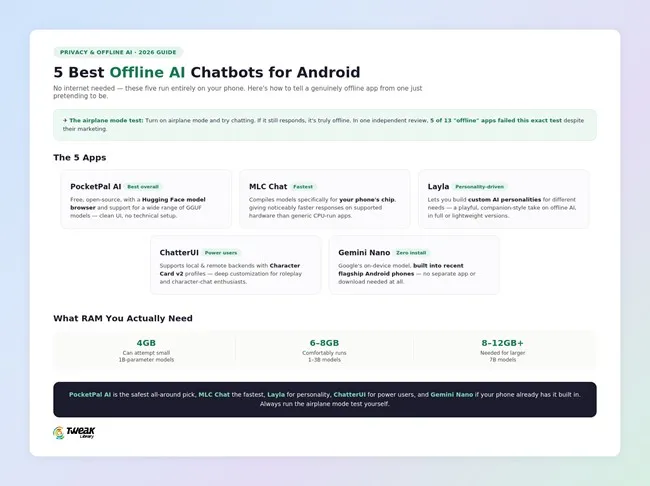
This article covers 5 verified offline AI chatbots for Android – PocketPal AI (best overall), MLC Chat (fastest), Layla (personality-driven), ChatterUI (power users), and Gemini Nano (built-in, no install) – plus how to verify any app’s offline claim using the airplane mode test.
Offline AI chatbots are appealing for obvious reasons: nothing you type is sent to a server, they keep working without a signal, and there’s no subscription fee once the app and model are downloaded. The catch is that not everything marketed as “offline” actually is, some apps download a small model for show while still routing your real conversations through the cloud. Below are 5 real offline models available on Android, how to tell the real ones from the pretenders, and what your phone needs to run them efficiently.
What “Offline” Actually Means for an AI Chatbot
A true offline AI chatbot Android app downloads the entire language model, its “weights,” directly to your phone’s storage, then processes every conversation using your phone’s own processor and RAM. No data packets should leave your device once that model is downloaded. One sure way to independently verify this yourself: turn on airplane mode and try chatting. If it works fine then, it really is offline. If it fails or refuses to respond, it was secretly relying on a connection all along. A detailed independent test of thirteen apps that claim to be offline found that five of them failed this test even though they market themselves very differently.
5 Best Offline AI Chatbots for Android
1. PocketPal AI
PocketPal AI is a user-friendly, free, open-source chatbot application utilizing Hugging Face’s pre-trained models to enable you to load and run any compatible GGUF model file right from your mobile device. The main design focus of PocketPal AI was on providing an experience that would be accessible to anyone who may have limited technical knowledge or command-line familiarity when interacting with their AI assistant through its simple and intuitive interface.

It earns the top spot here because it’s consistently the most-downloaded and most-recommended app from independent reviews, combining broad model flexibility with genuine ease of use; most competitors don’t manage this together.
Key features: Hugging Face model browser, support for a broad range of GGUF models, clean UI that is free of technical jargon, verified to work offline even in airplane mode testing.
Best for: anyone who just wants one reliable and flexible offline chatbot that doesn’t require understanding of model formats or command lines.
2. MLC Chat
MLC Chat, from the MLC LLM project, compiles models specific to your phone chip and not for the generic model of CPU; this makes it faster than other options on supported hardware. It supports models like Llama 3, Gemma, and Phi, with setup that takes only a few minutes.
 It earns its spot as a clear speed leader, as it is faster than many GGUF-based options.
Key features: device-specific compilation, acceleration on supported chipsets using NPU, a pre-optimized list of models, and fast setup.
Best for: users of newer flagship hardware who want fastest response times. Availability through Google Play varies based on reports, so check distribution before assuming an install through the Play Store.
3. Layla
Layla is an offline AI assistant that lets you create distinct personalities for different tasks rather than relying on a single generic persona. Depending on device capabilities, it comes in full and lighter versions.
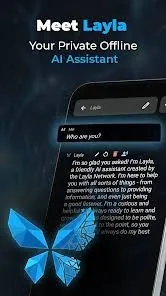
It earns its place here as the most distinctive and companion-like assistant; it serves a different use from strictly practical tools around it and it won’t appeal to anyone who is looking for a straightforward productivity assistant.
Key features: custom AI personalities, full and lightweight app versions, fully on-device once set up, iOS and Android support.
Best for: anyone wanting a private, personality-driven chat companion rather than a purely functional assistant.
4. ChatterUI
ChatterUI is a flexible Android interface for chatting that supports both local, on-device models and optional remote backends. Character Card v2 support lets you have structured and persistent profiles for characters. It’s popular among local large language model (LLM) communities because of how much control it gives you.
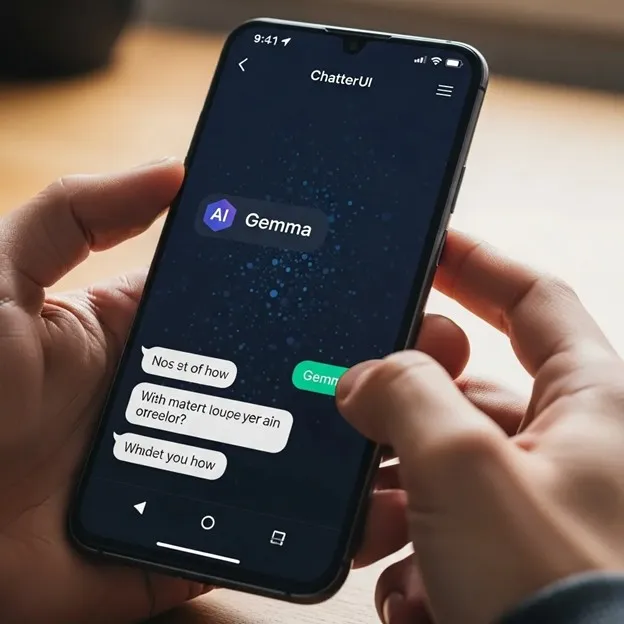
It earns its place here for power users who want lots of customization, structured chats for characters and the flexibility to switch between local and remote models within the same app rather than being stuck with one approach.
Key features: Character Card v2 support, multiple local and remote backend options, active community development, granular customization.
Best for: Power users and roleplay/character-chat enthusiasts who want more control than a simpler app provides.
5. Gemini Nano (On-Device)
Gemini Nano was an on-device AI model from Google that has been embedded in the operating system of recent flagship Android smartphones, such as recent Pixel models. As a result, you do not need to download any additional apps to have basic on-device AI functionality.
 It earns its place here as the only genuinely zero-install option on this list, worth checking before downloading anything else if your phone is a recent flagship.
Key features: built into supported Android versions, no separate download or setup, deep OS-level integration, no account required for on-device processing.
Best for: owners of recent flagship Android phones who want basic on-device AI without installing a third-party app at all.
What RAM You Actually Need
Performance is primarily dependent upon how much memory (RAM) is available to your mobile device rather than the type of application that you select. A good rule of thumb is: 4 GB of RAM can allow running small 1B -parameter models, phones with 6-8 GB of RAM can run models in the 1-3B range, and larger 7B models require phones with at least 8-12 GB of RAM or greater. Check a model’s listed size against your phone’s RAM before downloading, since an underpowered phone will produce slow or unstable results regardless of which app you chose.
Frequently Asked Questions
The Bottom Line
PocketPal AI is the top pick overall for most people. MLC Chat excels on supported hardware because of its speed. Layla is for people who want a companion with a personality. ChatterUI is for power users who want lots of customization. And if your phone already has Gemini Nano built in, you should check it out first. Whichever app you select, testing airplane mode for just a few seconds is the most reliable way to independently confirm any claim of offline functionality.



Leave a Reply