


Summary
The Meta Artificial Intelligence Mac app allows you to bring Meta’s Artificial Intelligence assistant onto your computer in the form of a dedicated macOS app. It can answer questions, use Artificial Intelligence in content creation, operate on the data available in the shared window, and engage via dictation. Since Meta Artificial Intelligence also has some agentic capabilities available now, the Mac app is not a mere chatbot anymore.
Artificial Intelligence assistants have evolved from browser tabs and smartphone applications to desktop applications. The latest addition to this race is the Meta Artificial Intelligence Mac application from Meta. Launched in August 2026, the Meta Artificial Intelligence desktop application seeks to integrate Meta Artificial Intelligence within the working process by offering the ability to work with it without the need to keep changing your tabs or applications.
The unique feature in this app is the ability to share the window you select for the assistant to view the content in that window. This will enable activities like brainstorming, writing, troubleshooting, and information review. So, what exactly can the Meta Artificial Intelligence for Mac app do?
What Is the Meta Artificial Intelligence Mac App?

The Meta Artificial Intelligence Mac app is a desktop Artificial Intelligence assistant application of Meta. This means that Mac users now have a platform where they can interact with the Meta Artificial Intelligence assistant without necessarily having to use the Meta apps on mobile phones or the Meta website.
Meta has been expanding its Artificial Intelligence assistant on platforms such as Facebook, Instagram, Messenger, WhatsApp, the Meta Artificial Intelligence app, and the web. Meta has also improved its Artificial Intelligence assistant through enhancements such as the Muse Spark, which is meant for reasoning, multimodal comprehension, planning, and other functions.
Why Use Meta Artificial Intelligence for Mac

1. Convenient Access from Desktop
Convenience is one of the major benefits of using this application because you will be able to use the service without having to open your browser every time you have a question. This will be very convenient for students, writers, professionals, and other people who need help and cannot find time to access it via a browser.
2. Window Sharing for Meta Artificial Intelligence
Meta Artificial Intelligence window sharing is probably one of the coolest features of this new application. It is possible to share a certArtificial Intelligencen window with the Meta Artificial Intelligence application, which means that it will be able to see what is going on and give some advice.
For example, you can use it while making your presentation and then share the window where it is done so that it suggests a better name, improves something, or just generates new ideas based on the data. In the same way, you can do it when writing documents and you want the program to tell you how to improve them.
3. Dictation Across Applications
Moreover, the Mac version of the Meta Artificial Intelligence application has the functionality of dictation across applications. It may come in handy if you do not want to type anything at the moment. Using your voice to think out ideas, dictate something, or talk with the assistant allows you to continue working in other applications. People who are used to thinking things out loud will probably find such a feature really useful.
4. Writing and Creating Content
Meta Artificial Intelligence can help in your daily routine with writing and creating content. With it, you may try:
- Writing an outline of an article.
- Rewriting a text.
- Generating social media posts.
- Making headlines.
- Summarizing information.
- Brainstorming marketing ideas.
- Turning notes into content.
Moreover, Meta has improved the capabilities of creating images and other kinds of content with Meta Artificial Intelligence.
5. Research and Information
Meta Artificial Intelligence can also be used for conducting research and posing more complex queries. Meta claims that its latest Artificial Intelligence experience is capable of conducting research on information gathered from the Internet. For instance, you may ask “Research the pros and cons of transitioning from Windows to Mac.”
How to Use the Meta Artificial Intelligence Mac App
- Download and install the special Meta Artificial Intelligence program for macOS in case it becomes available in your country.
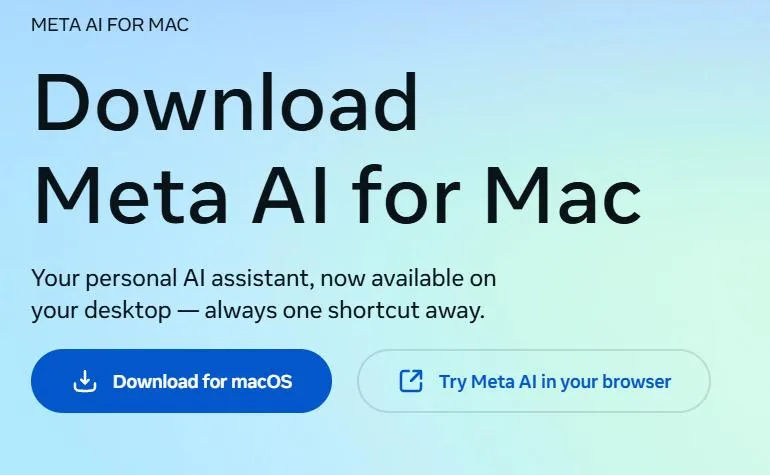
- Launch the app and log in using your Meta account if asked to do that.
- Formulate a question or use voice communication and ask Meta Artificial Intelligence anything you want.
- You may begin with basic questions like “Summarize this topic” or “Give me five blog ideas” or “Rewrite this paragraph for me”.
To make Meta Artificial Intelligence comprehend what you are doing at the moment, you should employ the window-sharing option and choose the appropriate window of an application. After that, ask a question concerning the content being shown. Here are some examples:
“Analyze this presentation and give three ways to improve it”
Make use of follow-up queries in order to clarify the results. Instead of starting a separate conversation each time you need something to be changed, simply instruct Meta Artificial Intelligence to do it for you.
Meta Artificial Intelligence Mac vs. Using Meta Artificial Intelligence in a Browser

The online version of Meta Artificial Intelligence is already equipped with the ability to use multiple Artificial Intelligence features, such as conversation and content generation support. What makes the Meta desktop application unique is the possibility to interact with the service by using window sharing and desktop-focused interactions.
In case you need to use Artificial Intelligence services infrequently, then there is no need to have a separate Meta Artificial Intelligence desktop application, and the web version will suffice. But if you do use Artificial Intelligence services frequently on your Mac, then the application will be more convenient.
Privacy Considerations

Window sharing is a useful tool but can be dangerous as well. If you decide to share your window with Meta Artificial Intelligence, make sure to see what kind of information you are giving away. Don’t share passwords, personal details related to your finances, personal chats, business documents, or other confidential data unless you know how your data will be treated.
Meta has also created Incognito Chat, a new feature intended for private conversation with Meta Artificial Intelligence where all chats disappear automatically. The privacy options may depend on the product, region, or account you are using.
What Can You Expect From Meta Artificial Intelligence for Mac?
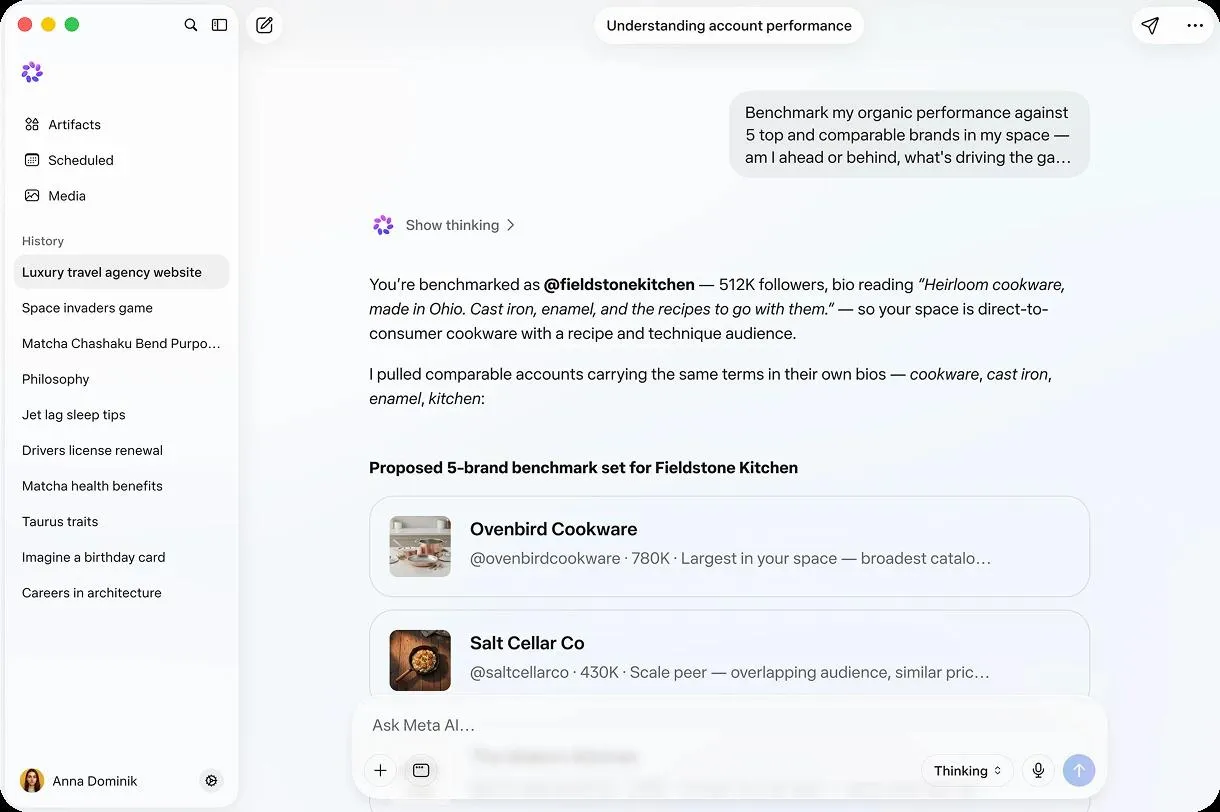
The rollout marks the latest step taken by Meta in ensuring that their Artificial Intelligence technology becomes a productive assistant instead of a mere question-answer bot.
According to Meta, their new generation of Artificial Intelligence technologies is capable of creating plans, researching, making slides, working with applications, and handling repetitive tasks within the supported experiences. This feature is being rolled out gradually, and Artificial Intelligence availability is dependent on location and the Meta Artificial Intelligence experience one chooses.
This explains why the Mac application is quite appealing to those looking for Artificial Intelligence assistance without switching from their desktop environments frequently.
Conclusion
Meta Artificial Intelligence Mac application integrates the Artificial Intelligence helper of Meta into an even more practical desktop interface. The capabilities of sharing a window, providing assistance based on the content seen, supporting dictation, answering questions, and helping with creative work make it more efficient than just a regular chatbot.
Undoubtedly, the most appealing feature is Meta Artificial Intelligence window sharing,g as it enables the Artificial Intelligence assistant to know what you are doing without you having to explain all details.
With further expansion of Meta Artificial Intelligence capabilities, this program might prove to be an efficient productivity helper for Mac users interested in an Artificial Intelligence assistant.




Leave a Reply