


Summary
Bugs are bound to occur regardless of whether you are building a mobile application or developing enterprise-level software. The key here is not to prevent all bugs from occurring but rather to detect them, track them, prioritize them, and fix them in time before users experience any problems. And this is when bug tracking software comes in handy.
Today’s advanced bug tracking systems offer far more than just tracking bugs. They make the process of communication easier for developers, testers, project managers, and other people involved, and they give an overview of the bugs’ statuses, severity, and how long they will be solved. Thanks to automation and integrations, they allow software development teams to produce better software quicker. In this article, we will examine the best 5 bug tracking software tools.
Reasons for Using a Bug Tracking System
Using no bug tracking software would imply that developers use spreadsheets, email, or instant messaging systems for issue reporting, which causes:
- Missing bug reports
- Bug duplication
- Poor communication
- Delayed resolutions
- Missed deadlines
- Angry clients
A special bug tracking tool can help developers:
- Record bugs with screenshots and logs
- Automatically assign bugs
- Prioritize bugs according to severity
- Monitor progress in real time
- Work together with other departments
- Create reports and analytics
Consequently, the issues get resolved faster, and users become more satisfied with their product.
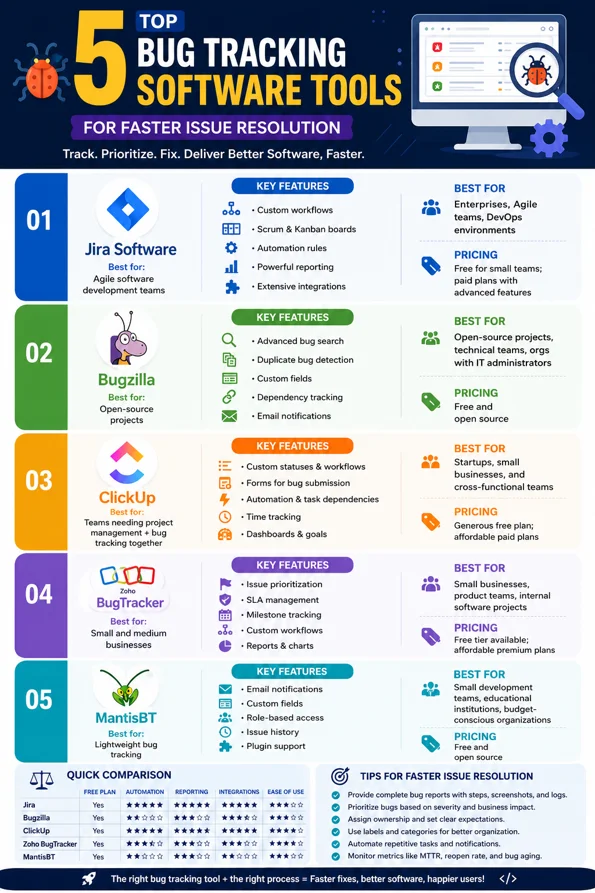
Top 5 Bug Tracking Software Tools
1. Jira Software
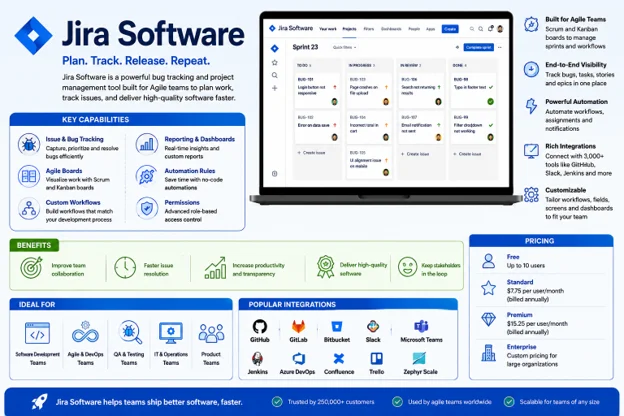
Best for Agile software development teams
Jira is considered to be the industry benchmark in terms of bug tracking and project management. It was developed by Atlassian, and it features advanced issue tracking and Agile project planning.
Key Features
- Custom workflows
- Scrum and Kanban boards
- Sprint planning
- Automation rules
- Powerful search filters
- Custom dashboards
- Roadmaps
- Role-based permissions
- Highly customizable
- Great Agile capabilities
- Large integration ecosystem
- Detailed reporting
- Strong Automation capabilities
- More difficult to learn
- Too much for small teams to handle
Pricing – Free for small teams, with paid plans offering advanced automation and enterprise features.
Best for Software companies, Enterprise teams, Agile organizations, and DevOps environments.
2. Bugzilla
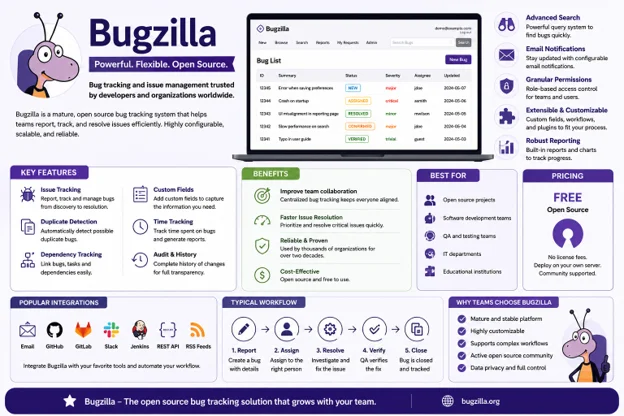
Best for Open-source projects
Bugzilla is among the oldest and most reliable bug trackers out there. Even with such a basic user interface, it is incredibly powerful and scalable.
Key Features
- Advanced bug search capabilities
- Email alerts
- Duplicate bug finder
- Custom fields
- Permissions
- Dependencies
- Timetracking
- It is completely free to use
- Extremely stable
- Mature platform
- A lot of possibilities to customize
- Old-fashioned interface
- Technically complicated installation process
- Little functionality by default
Pricing – Free and open source.
Best for Open-source projects, Technical teams, and Organizations with dedicated IT administrators
3. ClickUp
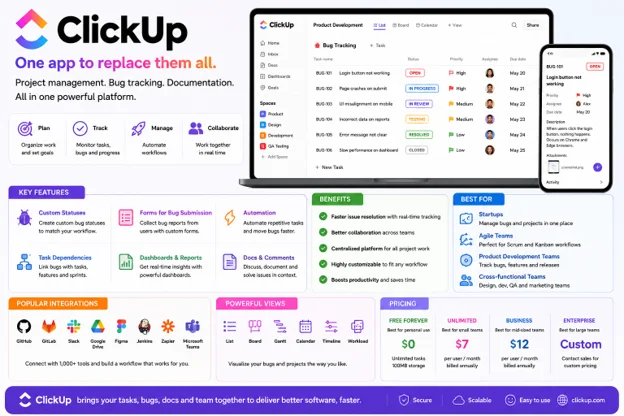
Best for Teams needing project management and bug tracking together
ClickUp integrates project management, task management, document management, and bug management in one package. No need to employ multiple applications as all aspects of managing projects (product planning, sprints, bug tracking) can be done within ClickUp’s platform.
Key Features
Custom statuses
Task dependencies
Forms for bug reporting
Time tracking
Whiteboards
Goals
Docs integration
Automation
- Intuitive design
- Good price
- Excellent collaboration
- Flexible workflows
- Dashboards customization
- Too many features for beginners
- Automation options require paid subscriptions
Pricing – Provides an extensive free subscription in addition to paid subscriptions.
Best for Startups, Small businesses, and Cross-functional teams
4. Zoho BugTracker
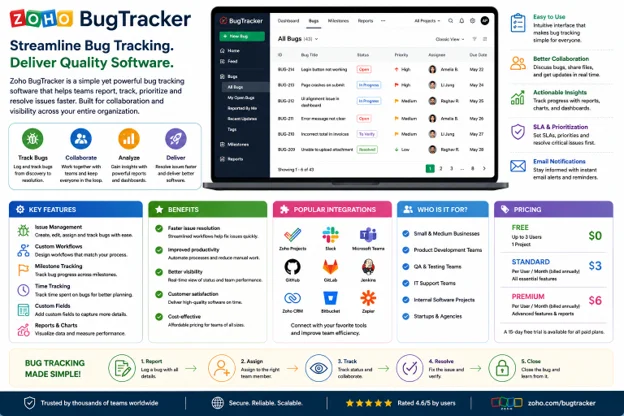
Best for Small and medium businesses
The Zoho BugTracker is an easy-to-use and efficient bug tracker that works especially well for organizations working within the Zoho environment. It is designed with an intuitive UI allowing developers and non-developers to work with the platform easily.
Key Features
- Issue priority
- Time tracking
- Service level agreement (SLA)
- Milestone tracking
- Custom workflows
- Email notifications
- Charts and reports
- User-friendly
- Affordable
- Collaboration features are good
- Clean interface
- Less third-party integration
- DevOps capabilities limited
Pricing – Free tier available with affordable premium plans.
Best For Small businesses, Product teams, and internal software projects.
5. MantisBT
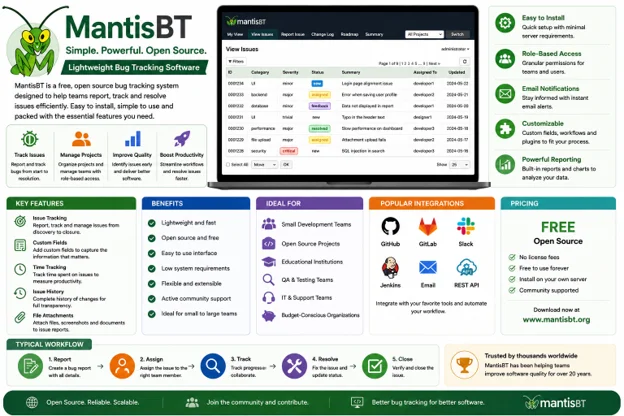
Best for Lightweight bug tracking
MantisBT is an open source bug tracking system aimed at providing simplicity and functionality to the users at the same time. It is a fast to deploy and configurable bug tracker that can be used by businesses looking for cost effective issue tracking solutions.
Key Features
Email notifications
Custom fields
Role-based access
Issue history
Time tracking
Plugin support
Project management
- Free and open source
- Lightweight
- Quick to deploy
- Low system requirements
- Outdated UI
- Less enterprise features
Pricing – Free.
Best For Small development teams, Educational institutions, Budget-conscious organizations.
Frequently Asked Questions
Final Thoughts
Bug tracking is an integral part of software development processes. A good bug tracking program will not only help to find and solve bugs more effectively but will increase collaboration between the development team members and improve software quality.
If your business is developing its first software product or has multiple development teams working at once, choosing the appropriate bug tracking tool will save you time, speed up releases and increase customer satisfaction. Just examine the needs of your team, try a couple of solutions via their trial versions and pick the one that suits your workflow. An effective bug tracking tool today can save you many hours of bug fixing in the future.





Leave a Reply